Profile and Security
Good — this page needs to feel secure and authoritative, but still clear and readable.
Here is the clean, structured Profile and Security page.
Profile and Security
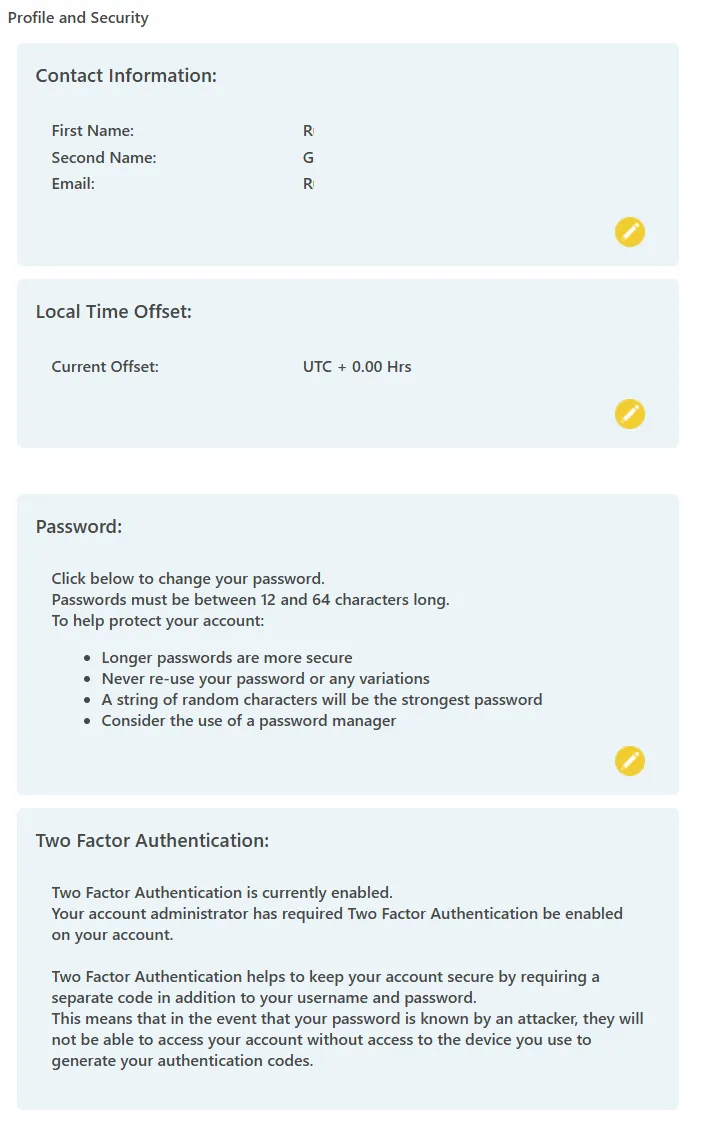
The Profile and Security page allows you to manage your personal account details and security settings.
These controls apply only to your individual user account.
Contact Information
You can view and edit your:
- Name
- Email address
For security reasons:
- Changing your email address sends a secure confirmation link to the new email address.
- An informational email is also sent to your previous email address.
This ensures that unauthorised changes cannot be made without verification.
Local Time Offset
All system dates and times are stored in UTC (equivalent to GMT).
If you prefer to view reports and logs in your local time, you can set a personal time offset from UTC.
This setting:
- Applies only to your user account
- Is a fixed offset
- Does not automatically adjust for daylight saving changes
Change Password
You can change your password at any time.
If you forget your password, use the reset link on the login page.
Password requirements:
- Minimum 12 characters
Your password provides access to your SIM estate and account functions. It should be:
- Unique
- Not reused from other systems
- Not shared with anyone
Using a password manager is recommended to support long, complex passwords.
Two Factor Authentication (2FA)
Two Factor Authentication adds an additional layer of security to your account.
To enable 2FA:
- Select the enable icon
- Scan the displayed QR Code or enter the Text Code
- Use a standard authenticator app (for example Google Authenticator or Microsoft Authenticator)
Once enabled, login requires:
- Your password
- A time-based security code from your authenticator app
This ensures that access requires both knowledge (your password) and possession (your device).
To remove 2FA, select the disable icon.
Some non-administrator accounts may have 2FA enforced by their Administrator.
When to review Profile and Security
You should review this page when:
- Updating contact details
- Changing passwords
- Enabling or managing 2FA
- Adjusting time display preferences