SMS
3 min
The SMS section allows SMS messages to be sent from, and received within, the SIM Insight Portal.
This module provides tools for sending individual messages, bulk messaging, reviewing message history, and managing saved templates.
Access to SMS functionality depends on your assigned User Role and SIM configuration.
How SMS via the Portal Works
SMS messages can be:
- Sent directly to one or more SIMs
- Sent in bulk using an imported list
- Tracked and reviewed through message logs
- Saved as reusable templates
Replies can also be received within the Portal.
To receive replies, devices must be configured to use the designated SMS origination telephone number when sending responses.
Available Pages
The SMS menu includes:
- Send SMS – Send a message to one or more selected SIMs
- SMS Log – View sent and received SMS history
- Send SMS Bulk Import – Send messages using an uploaded list
- Manage Saved SMS – Create and manage reusable message templates
Each page supports a different SMS workflow and is designed to handle messaging at both individual and estate scale.
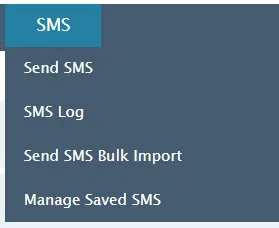
SMS menu showing messaging, log, bulk import, and template management options.
When to use SMS
The SMS section is typically used when:
- Sending configuration commands to devices
- Broadcasting operational updates
- Monitoring inbound SMS replies
- Managing recurring message templates