Charting
The Charting section provides visual analysis tools for understanding SIM usage patterns and trends across your estate.
Where tabular reports such as SIM Finder and Traffic Details focus on detailed records, Charting presents aggregated data in graphical form. This makes it easier to identify trends, anomalies, and usage distributions at a glance.
Chart views are read-only and are intended for analysis rather than operational changes.
Access to financial information within charts depends on your assigned User Role.
What Charting Is For
Charting is typically used to:
- Identify usage trends over time
- Spot unusual behaviour across Groups or SIM populations
- Compare activity between months
- Understand geographic distribution
- Review how usage is spread across SIMs
Charts complement the Reporting tables by providing a higher-level view of the same underlying data.
Available chart views
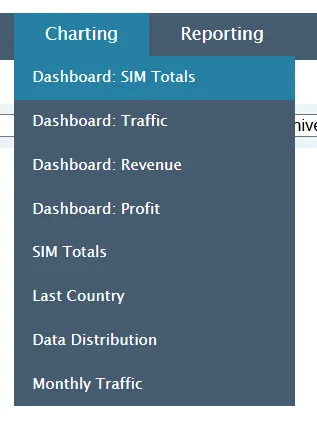
The Charting menu includes the following reports:
- Monthly Traffic – Visual trends in monthly usage
- SIM Totals – Aggregate usage totals across your SIM population
- Last Country – Distribution of last recorded country of activity
- Data Distribution – How data usage is spread across SIMs
Each chart page focuses on a different analytical perspective.
How Charting differs from Reporting tables
Reporting tables:
- Provide detailed records
- Support exports for full datasets
- Enable investigation at SIM level
Charting:
- Uses aggregated data
- Highlights patterns and trends
- Helps identify where deeper investigation may be required
In many cases, charts are used first to identify an area of interest, followed by a more detailed report such as Traffic Details or SIM Finder.