Traffic Details
Traffic Details provides access to detailed traffic records for your SIM estate for the most recent three months. It allows you to investigate individual sessions, analyse usage patterns, and identify anomalies across data, SMS, and voice activity.
This report is designed for detailed investigation and operational analysis.
Filtering traffic records
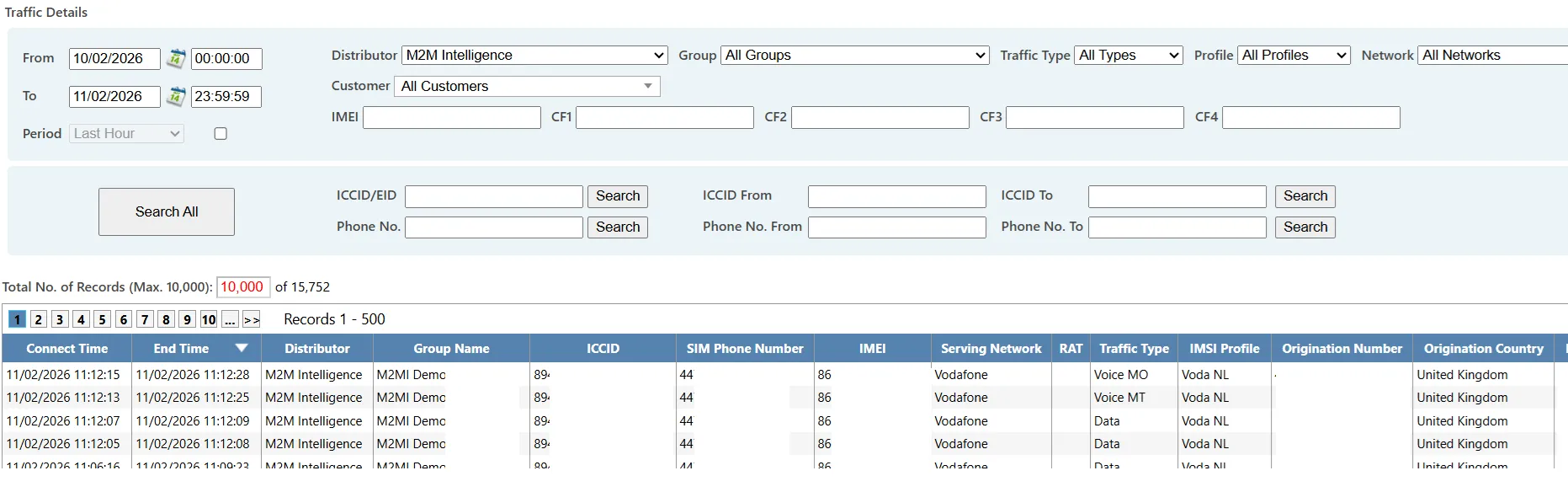
At the top of the page, you can refine your search using a comprehensive set of filters. You can filter by:
- SIM identifiers
- Group or customer
- Traffic type
- Network
- Country
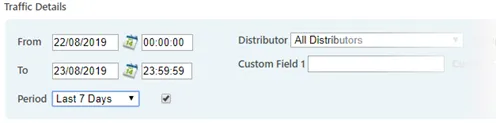
- Date and time range
Common time periods can be selected quickly by ticking the Period option and choosing from the dropdown list.
This makes it easier to investigate predefined ranges such as today, yesterday, or the current month
Search limits and performance
Traffic searches can involve very large volumes of data. As a result:
- Searches are limited to three minutes
- You can cancel a search at any time
- A maximum of 10,000 records can be displayed on screen
- Up to 150,000 records can be exported to Excel
If a search times out, narrow your criteria by reducing the date range or applying additional filters.
Traffic results
Search results show detailed traffic records including:
- Date and time of the event
- Traffic type (data, SMS, voice)
- Network and country
- Data volume or call duration
- Charging information (role dependent)
Results can be sorted by column and exported for further analysis.
Traffic analysis view
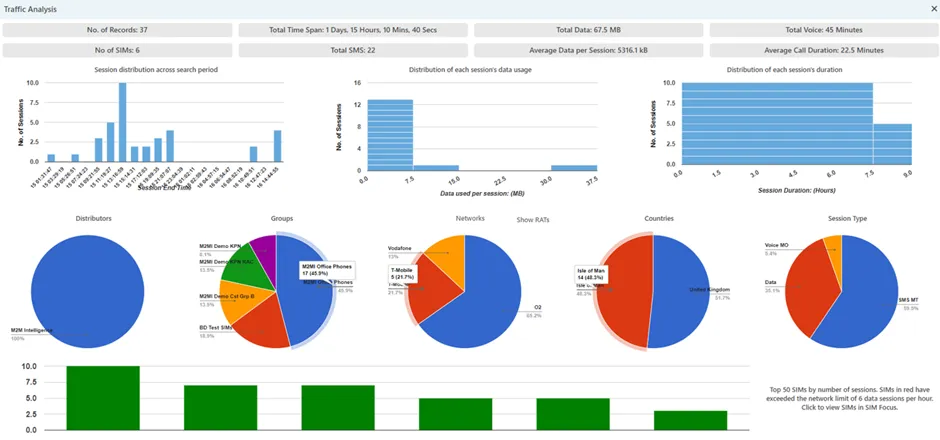
The View Analysis button provides a graphical summary of the current result set. This helps identify trends that may not be immediately obvious in tabular data.
The analysis is based on the top 10,000 records returned by the search.
The charts include:
- Totals for number of records, data usage, voice minutes, and SMS
- Breakdown by network, traffic type, and country
- Distribution of usage over time
- Distribution of session sizes and durations
- Identification of SIMs generating high numbers of sessions
This overview helps you identify areas for further investigation or refine your search criteria.
Radio Access Technology (RAT) breakdown
Within the analysis view, the Last Network chart can be expanded to display a breakdown of Radio Access Technologies (RATs).
You can:
- Select Show RATs to see the overall breakdown
- Select a specific network to view RAT usage for that network only
The accuracy of RAT data depends on the information provided by the network operator and the SIM implementation. For further detail on RAT reporting behaviour, refer to the SIM Finder section.