SMS Log
Good — this page needs to be clear about scope and limitations. People often assume “SMS Log” means all SMS traffic. It doesn’t.
Here is the structured, Archbee-ready SMS Log page.
SMS Log
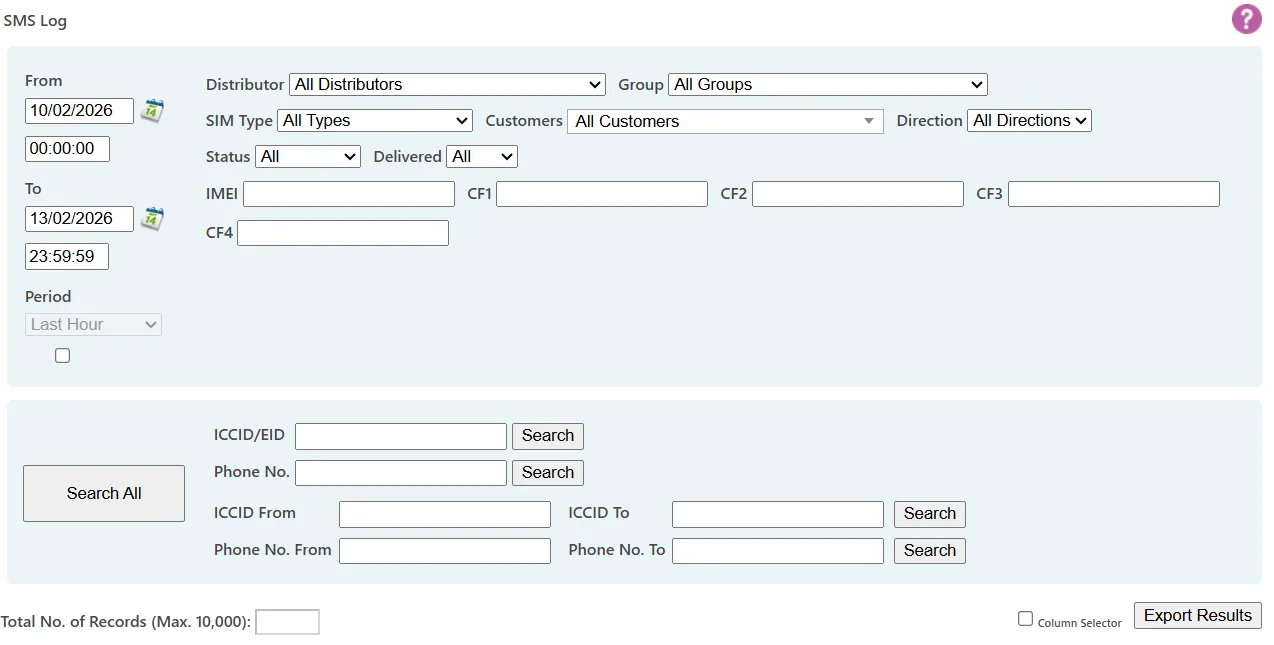
SMS Log provides a record of SMS messages sent and received through the Portal.
The log includes:
- Time stamp
- Direction
- SIM identifier
- Message content
- Delivery status
Only portal-based SMS traffic is recorded.
Filtering results
The log can be filtered by:
- Date and time range
- Group
- Customer
- Custom fields
- ICCID
- Telephone number
This allows targeted review of specific devices, time periods, or operational campaigns.
Message direction
Messages are categorised as:
- MO (Mobile Originated) – Sent from the device to the Portal
- MT (Mobile Terminated) – Sent to the device from the Portal or Portal API
What is not logged
The SMS Log only includes:
- Messages sent from the Portal or Portal API
- Messages received by the Portal
The following are not logged:
- Messages sent to devices from third-party platforms
- Messages sent from devices to external mobile numbers or platforms
Such traffic may appear in Traffic Details for charging purposes, but it is not recorded in the SMS Log.
Delivery status
MT message status is updated as delivery progresses:
- Pending – Awaiting delivery
- Delivered – Successfully delivered
- Failed – Delivery unsuccessful
If a device is temporarily unavailable, messages are queued and retried.
A message will only show Failed immediately if an unrecoverable network error occurs (for example, number not recognised). Otherwise, failure is reported after the retry period expires, typically between three and seven days depending on the provider.
This status information can be useful for checking whether devices are connected to a network.
Resending messages
Each MT message includes a Resend link.
Selecting Resend will:
- Send the same message to the same SIM
- Create a new entry at the top of the log
This avoids needing to return to the Send SMS page to recreate the message.
Exporting results
Log results can be exported to Excel for further analysis.